
RechargÉco Network × ChargePoint Stations

Charge your vehicle in just minutes.

Welcome to the RechargÉco network. Follow this simple guide to start charging at our fast ChargePoint stations.

RechargÉco ChargePoint station with vehicle charging
Welcome offer

Get $10 in credit
on your first charge

Sign up through the special RechargÉco link and automatically receive $10 in credit on your ChargePoint account.

```text
Start a Charging Session

The 5 Steps to
Start Your Charging Session

Follow these simple steps to plug in and start charging at any ChargePoint station on the RechargÉco network.

01
Check Your Parking Spot and Connector

Ensure your electric vehicle (EV) is properly parked so you can easily access the appropriate charging cable (CCS, NACS, or CHAdeMO). Proper positioning facilitates plugging in, reduces strain on the cable and connector, and contributes to a safe and efficient charging experience.

Important

Always check the connector's condition before plugging it into your vehicle.

Visually inspect the connector on the sides and inside. If you notice any damage, deformation, signs of wear, or foreign objects (debris, ice, dirt, etc.), do not use the connector.

A damaged or obstructed connector can prevent charging and cause significant damage to your electric vehicle's (EV) charging system. If in doubt, report the station and use another charging station.

02
Activate Charging

You can start a charging session in several ways:

📱 With the ChargePoint app
💳 With a ChargePoint RFID card
📲 With contactless credit card payment
🔁 With another compatible app
Our Recommendation — The ChargePoint app offers real-time tracking, your receipts, and your complete history.
Good to Know — It is possible to start a charging session with other compatible apps, but interoperability fees will apply.
03
Plug the Connector into Your Vehicle
Open your vehicle's charging port.
Choose the compatible connector (CCS, NACS, or CHAdeMO).
Firmly plug in the cable until it clicks and locks.
04
Verify That Charging Has Started
✓"Charging in Progress" message on the station
✓Estimated charging time displayed
✓Power displayed in kW
✓Active charging light on the vehicle
Patience — It may take 20 to 30 seconds for the station and your vehicle to establish a connection.
05
Unplug the Connector

Once you have the desired range or charging is complete:
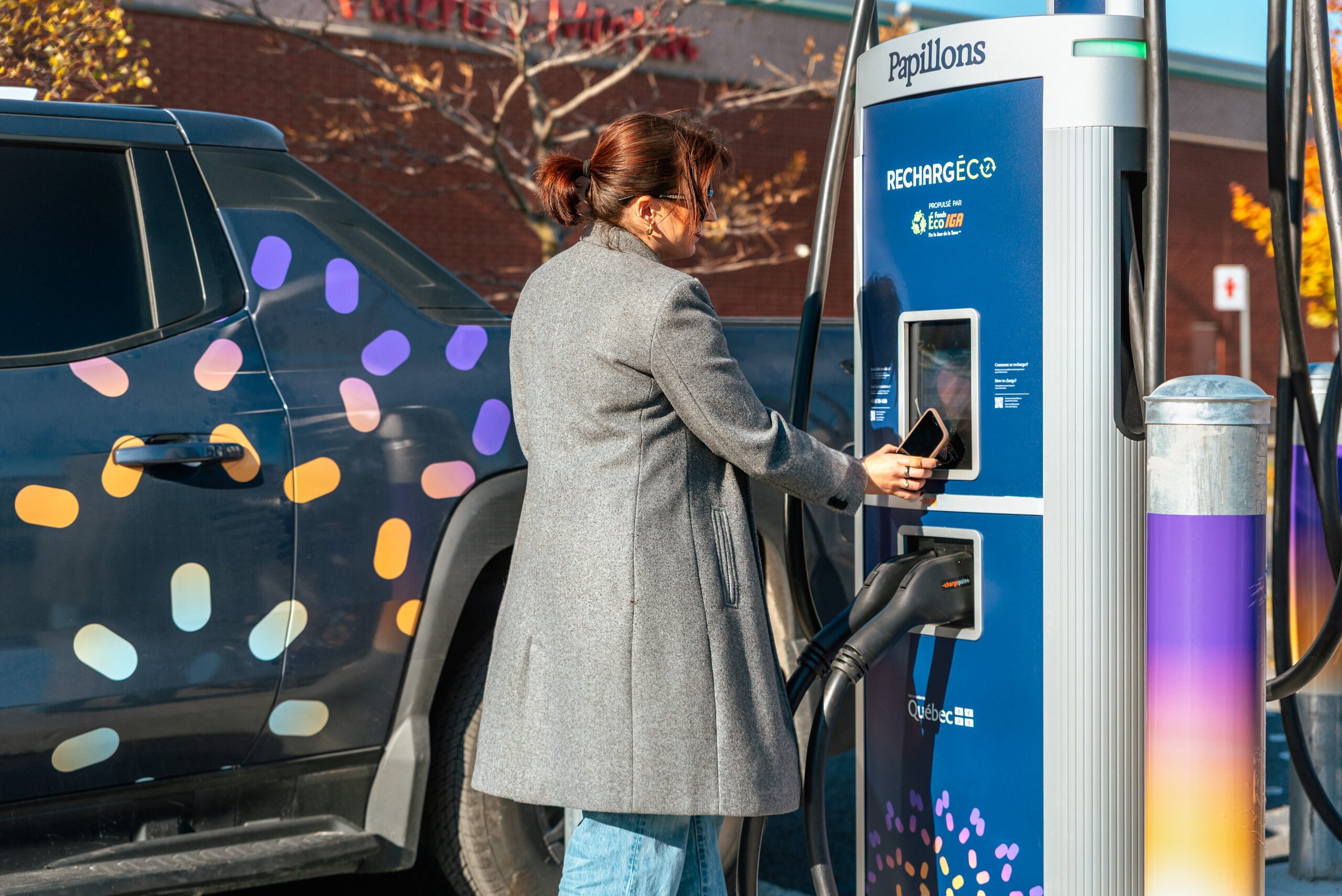
End the session in the app, from your vehicle, or directly on the station screen.
Unplug the connector from your vehicle.
Return the cable to the station. Safe travels!
Good to Know — Once charging is complete, customers have a 5-minute grace period before a fee of $0.43/minute applies.
Charging at RechargÉco station
ChargePoint station on the RechargÉco network — IGA Parking Lot
```
Understanding charging speed

Why does speed
vary?

The station provides the available power, but it's your vehicle that decides how much power it accepts.

Charging speed depends on:

🚗 Vehicle model and capacity
🔋 Current battery level
️☀️ Outdoor temperature
🌡️ Battery temperature
🔋 Battery between 10% and 40%
➜ Generally faster charging — the battery accepts its maximum power.
🐢 Battery above 80%
➜ Slower charging — the vehicle protects the battery by reducing the power it accepts.
Power accepted based on charge level
10% → 40% Maximum power
40% → 60% High power
60% → 80% Moderate power
80% → 100% Reduced power
Representative illustration. Actual values vary depending on the vehicle model and battery temperature.
RechargÉco — Conseils & Connecteurs
Conseils pratiques

Préparez-vous pour une recharge plus efficace

🛣️ Avant votre arrivée
✓
Planifiez votre arrêt de recharge à l'avance Choisir votre borne avant le départ permet d'optimiser votre trajet et d'éviter les détours inutiles.
✓
Vérifiez le type de connecteur de votre véhicule Assurez-vous que votre véhicule est compatible avec le connecteur disponible à la borne pour démarrer rapidement votre recharge.
⚡ Pendant la recharge
✓
Évitez de charger jusqu'à 100 % Les derniers pourcentages sont très lents et sollicitent davantage la batterie.
✓
Visez 80 % pour reprendre la route Point optimal entre autonomie, temps de charge et santé de la batterie.
Compatibilité

Quel connecteur
utiliser ?

Nos bornes sont équipées de trois connecteurs pour être compatibles avec l'ensemble des véhicules électriques du marché.

CCS
Le plus répandu

Compatible avec la majorité des véhicules électriques nord-américains (Hyundai, Kia, GM, Ford, VW, BMW, Audi…).

NACS
Tesla & nouveaux VÉ

Compatible avec tous les véhicules Tesla ainsi que les nouveaux modèles adoptant le standard NACS (Ford, GM, Rivian, Honda…).

CHAdeMO
Norme japonaise

Norme japonaise de recharge rapide en courant continu (DC). Compatible avec la Nissan Leaf et certains modèles Mitsubishi.

Connecteur Type Véhicules compatibles Disponibilité
CCS DC — courant continu Majorité des VÉ nord-américains ✅ Sur toutes les bornes
NACS DC — courant continu Tesla, Ford, GM, Rivian, Honda… ✅ Sur toutes les bornes
CHAdeMO DC — courant continu Nissan Leaf, Mitsubishi… ✅ Sur toutes les bornes
Adaptateur Tesla — Véhicules Tesla (port CCS) 🆓 Gratuit en magasin IGA
RechargÉco — FAQ & Troubleshooting
Frequently Asked Questions

Got questions?

Why is my charge slower than expected?+
Several factors can reduce charging speed: an already-high battery level (above 60%), cold temperatures, or your vehicle's power limits. The station provides the maximum available power — it's your vehicle's battery management system that regulates how much energy it accepts.
Why does the displayed power vary during the session?+
This is completely normal. Power is dynamically adjusted by your vehicle's BMS (battery management system) throughout the session. It typically decreases as the battery fills up, especially above 60–70%.
Can I stop my charging session at any time?+
Yes, at any time via the ChargePoint app, on the station screen, or from your vehicle's controls. After stopping, wait a few seconds for the connector to release before unplugging it.
How much does charging cost?+
Charging is billed by the kilowatt-hour (kWh). You can view our pricing here: View pricing .
What should I do if charging doesn't start?+
Unplug and firmly reconnect the connector. Make sure your charging port is fully open and the vehicle is unlocked. If the problem persists, contact ChargePoint support at 1-888-758-4389 (available 24/7).
How do I contact support?+
ChargePoint support can be reached at 1-888-758-4389, 24/7. You can also get help directly in the ChargePoint app, under "Help" or "Report an Issue."
Troubleshooting

Quick troubleshooting

Most issues can be resolved in a few simple steps.

⚡ Charging won't start
1
Fully unplug the connector from the vehicle.
2
Plug it back in firmly until you hear it lock.
3
Restart the session in the app or on the station.
4
Make sure the vehicle is unlocked.
If the problem persists, contact ChargePoint support at 1-888-758-4389.
🔒 The connector seems locked
1
Wait a few seconds after stopping the session.
2
The vehicle must first release the lock — this can take up to 30 seconds.
3
Unlock your vehicle using its key fob or the manufacturer's app.
⚠️ Never force the connector out — you could damage the charging port. If the connector remains stuck despite following the steps mentioned above, each vehicle has a manual release mechanism; consult your vehicle’s owner’s manual to find out where it is located.
Privacy Overview
logo Papillons

This website uses cookies so that we can provide you with the best user experience possible. Cookie information is stored in your browser and performs functions such as recognising you when you return to our website and helping our team to understand which sections of the website you find most interesting and useful.

Strictly Necessary Cookies

Strictly Necessary Cookie should be enabled at all times so that we can save your preferences for cookie settings.

Analytics

This website uses Google Analytics to collect anonymous information such as the number of visitors to the site, and the most popular pages.

Keeping this cookie enabled helps us to improve our website.